
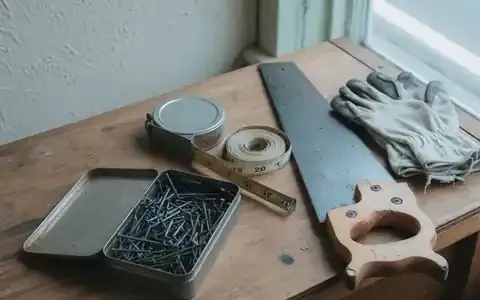
This is a practical Digital Presence walkthrough for a neighbourhood hardware and building-materials shop — the kind of counter business common in Bihar and West Bengal towns. It is not a named client. It does not use invented traffic, ranking, or revenue figures. The work is the sequence Google actually requires for a local listing and a clear website.
Why a hardware shop, not a clinic
Health and medical pages sit in Google’s Your Money or Your Life category. Search quality rules for that content are strict, and a composite “clinic case study” with vague results is a poor fit for a consultancy blog. Hardware, cement, electrical fittings, and plumbing supplies are ordinary local commerce. People already search them on Google Maps. That is a practical place to show presence work.
The situation
A typical shop in this category already has walk-in trade. The owner takes phone and WhatsApp orders for TMT bar, cement, pipes, switches, and paint. When a contractor or household searches “hardware shop near me” or “cement dealer” plus the area name, Google Maps decides what to show. If the listing is unclaimed, uses an old mobile number, or sits under a different spelling than the signboard, the shop is hard to confirm. Staff then spend the call answering “where are you?” and “are you open on Sunday?” instead of taking the order.
What to inspect first
Do this before buying ads or a new website.
- Search the exact signboard name in Google. Note whether a Maps listing appears, and whether the name matches the board.
- Open the listing. Write down name, address, phone, hours, and primary category.
- Compare those four fields to the signboard, GST invoice letterhead, and visiting card. Any mismatch is a NAP error (name, address, phone).
- If a website exists, check that it shows the same four fields.
- Check Facebook or Instagram bios for a third spelling or an old number.
- Look for duplicate listings of the same shop. Two pins for one counter confuse Google and callers.
Google documents how Business Profiles should be created and kept accurate in its Business Profile guidelines. Follow those rules. Do not invent a second identity to “rank twice”.
What is usually broken
- Unclaimed or manager-less Google Business Profile
- Primary category too generic (“Store”) instead of Hardware store or Building materials store
- Hours missing, or still showing last year’s festival closure
- No storefront photo, so the pin looks empty
- Website (if any) talks about “quality products” and never lists what is actually stocked
- Phone on Maps is a personal number that changed; WhatsApp is a different number
- Reviews unanswered; spam listing edits ignored
The Digital Presence sequence
Do not start with ads. Ads send people to whatever already exists.
- Claim or create the Business Profile. Use the legal shop name that matches the signboard. Complete Google’s verification (postcard, video, or the method Google offers for that listing). Keep the manager login with the owner, not only with an agency.
- Set category and attributes that match the counter. Primary category should be the main trade (Hardware store or Building materials store). Add secondary categories only if they are real (for example Electrical supply store). List services in ordinary language: cement, TMT, plumbing fittings, electrical switches, paint.
- Make NAP identical everywhere. One spelling of the shop name. One address line that a delivery person can follow. One primary phone. Put the same three fields on the website footer and the contact page.
- Hours and the map pin. Enter actual opening hours, including the lunch close if the shutter goes down. Place the pin on the shop, not on a nearby landmark. Update festival closures when they happen.
- Photos that prove the shop exists. Storefront with the signboard readable, interior aisles, and a few photos of the actual counter. Google’s photo guidelines ask for real, recent images of the business — not stock graphics.
- A short website that answers the call. Hours, location with a pin link, what you stock, and one primary action (call or WhatsApp). Title and heading should name the trade and the town, not a slogan. One page per major line (cement and steel, electrical, plumbing) only if those lines are real.
- Handover. Write who updates Sunday hours, who replies to reviews, who owns the domain, hosting, and the Google account. Presence fails when only a vendor can change a phone number.
What “done” looks like
Done is a checklist you can tick in a browser. It is not a claimed jump in impressions.
- Searching the signboard name opens one Maps listing with the correct pin
- Name, address, and phone match the board and the website
- Hours on Maps match the shutter
- Category describes the shop
- One call or WhatsApp number is obvious
- The owner can change hours without calling an agency
- Staff can tell a customer: “Search our shop name on Google Maps”
Whether calls increase after that depends on the town, competition, and whether people already look on Maps. We do not publish a percentage we cannot show from this shop’s own Google account.
What not to do
- Do not buy reviews or post fake ratings. That violates Google’s review policies and can suspend the listing.
- Do not create a second Profile to “cover more keywords”.
- Do not start with a large ad budget while the listing still shows yesterday’s phone number.
- Do not stuff the business name with extra keywords (for example “Best Hardware Cement Electrical Near Railway Station”). Google’s naming guidelines disallow that.
Replication checklist
- Signboard, GST letterhead, Maps, and website use the same name, address, and phone
- Primary Google category matches the main trade
- Hours include real closures
- Storefront photo shows the board
- One enquiry path
- Owner holds the Google and domain logins
- A named person replies to reviews at least weekly
When that public face is coherent, marketing spend has a page worth the click. That is why Digital Presence comes before paid reach.